

Create Your Dream Selfie With Virat Kohli Using AI Prompts: Create Realistic Image
Ever wanted to take a selfie with Virat Kohli and make it look completely real? Thanks to Gemini AI, that’s now possible. In this guide, you’ll learn how to use Selfie with Virat Kohli Prompt to create realistic, Polaroid-style or candid selfies with India’s cricket legend. Whether you’re a beginner or just exploring AI photo creation, this tutorial walks you through everything you need to know.
What Is “Selfie With Virat Kohli Prompt”?
A virat kohli gemini prompt is a text instruction used in Gemini AI (or other AI photo apps) to generate lifelike photos of you and Virat Kohli together. The selfie with celebrity prompt guides the AI to understand your image, setting, and style producing realistic selfies that look naturally clicked, not edited.
These virat kohli ai photo prompts can simulate anything from casual iPhone selfies to vintage Polaroid photos, romantic portraits, or stadium shots depending on your creative idea.
Why This Trend Is Going Viral
AI-generated selfies with celebrities are everywhere right now. People love them because they look natural and emotional, like real memories. With the right Google Gemini Celebrity Selfie Ai Photo Editing Prompt, you can make it appear as if you actually shared a fun moment with your favorite star without overediting or losing your real face.
Gemini AI makes this even easier. It allows users to upload their own photo and combine it with a text prompt that controls lighting, background, pose, and mood.
Best Selfie With Virat Kohli Prompts for Gemini AI
Here are some ready-to-use selfie with virat kohli prompts you can copy and paste:
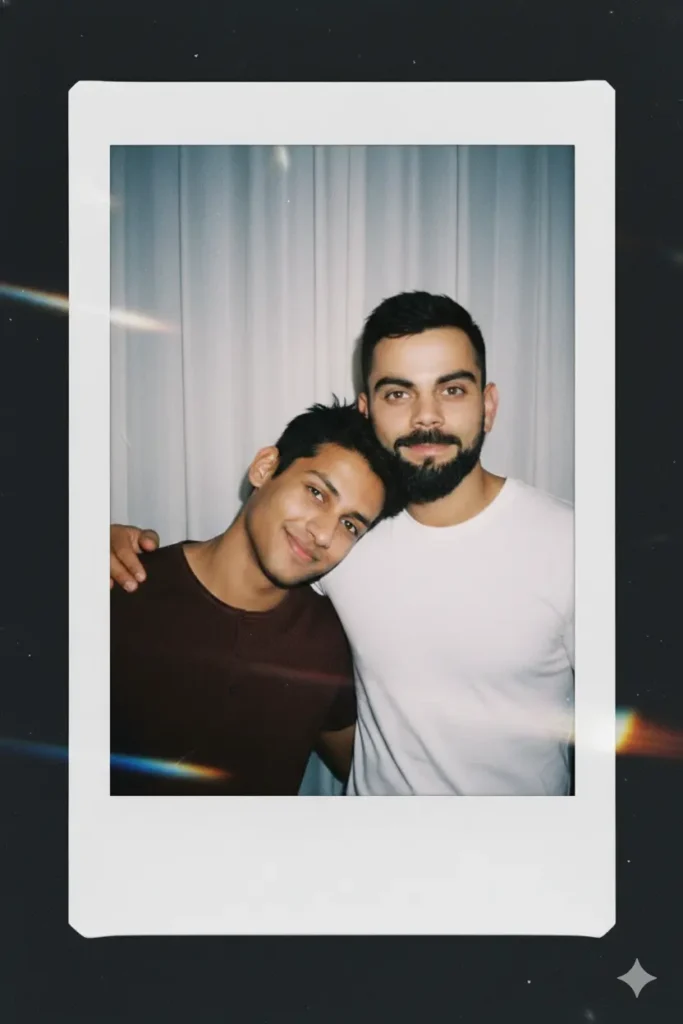
take a photo taken with a Polaroid camera the photo should look like an ordinary photograph without an explicit subject or property the photo should have a slight blur and consistent light source like a flash from a dark room scattered through at the photo. don’t change the face change the background behind those two people with white curtain with that boy (virat kohli)and me make a cute poses.

Take a photo taken with a polaroid camera. The photo should look like an ordinary photograph, without an explicit subject or property. The photo should have a slight blur and a consistent light source, like a flash from a dark room, scattered throughout the photo. Don’t change the face the face will remain exactly the same. Change the background behind those two people with white curtains. With that boy and me make a cute poses”
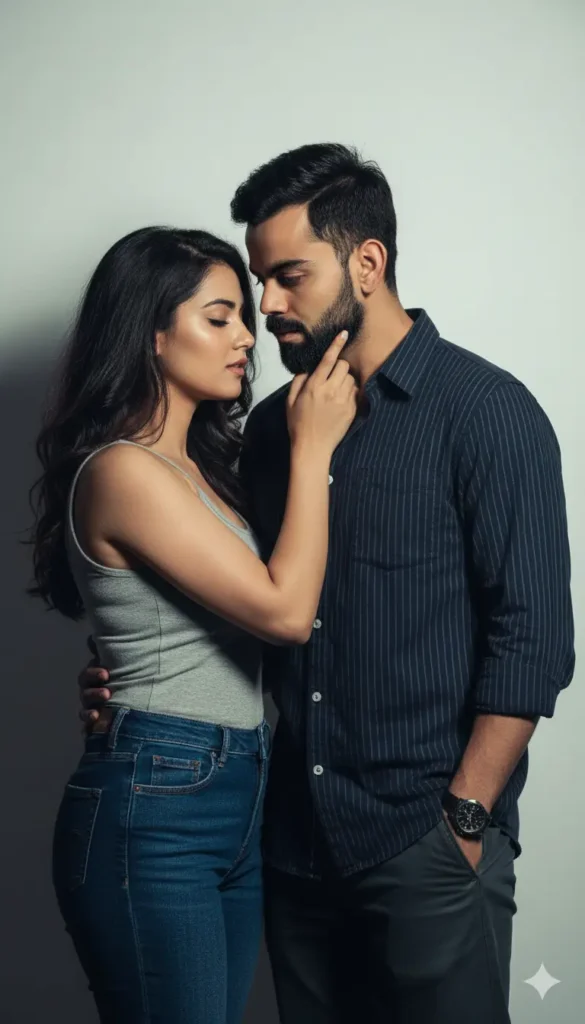
Create an image which captures a close-up, romantic portrait of the couple in the reference image. The lighting is still dramatic and moody, with a strong, directional light source from the left casting sharp shadows and highlighting the subjects’ features against a plain, light-colored background, creating an intimate atmosphere. The woman is positioned slightly forward, wearing a simple, fitted t-shirt or tank top in a muted color like a soft gray or dusty rose, paired with high-waisted jeans or casual trousers. Her hair is styled naturally, perhaps in soft waves or a messy bun, and her makeup is minimal and fresh. She is gently touching the man’s chin with her right hand, her eyes closed, leaning in for a moment of intimacy and connection. The man stands slightly behind and to the right, dressed in a casual button-up shirt, possibly with the sleeves rolled up, in a solid color or subtle pattern like thin stripes, or a well- fitting crew-neck t-shirt. He might be wearing dark wash jeans or chinos. His hair is neatly styled but retains a relaxed feel. His expression is intense and focused on the woman. The overall mood is one of tender romance and understated intimacy, with the dramatic lighting elevating the everyday casual setting into a stylish and emotional portrait of a couple deeply connected. Maintain their faces exactly the same.
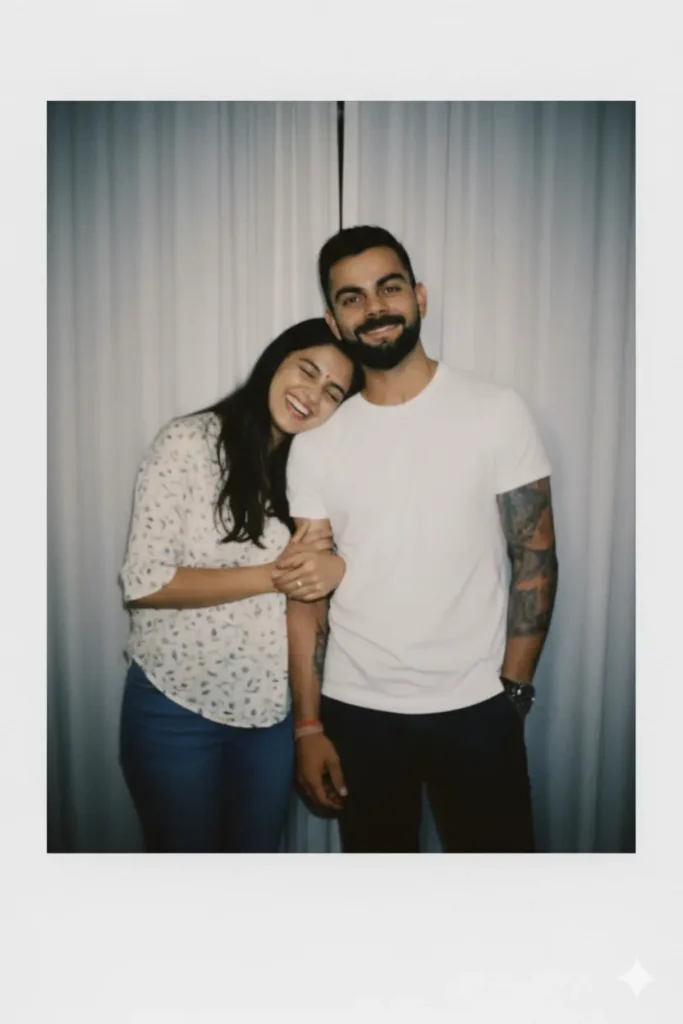
“A polaroid style photograph, slightly blurred with a soft flash lighting effect like it was taken in a darkbroom. Two people are in the photo with natural expressions, not altered. Keep their faces exactly the same. Change the background to simple white curtains. Make the two people stand close together in cute poses, like friendly candid moments. The photo should still look like an ordinary polaroid picture, with a natural retro feel”
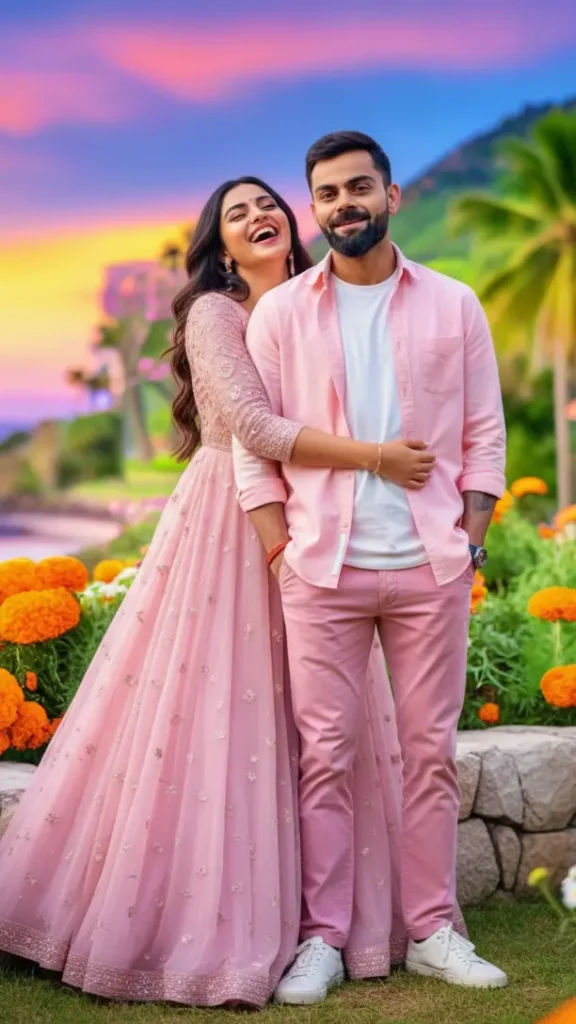
A beautiful North Indian couple in their 20s. The girl, face reference will be provided], is wearing a flowing light pink gown with subtle elegant patterns. The boy is dressed in a stylish light pink shirt over a white tee, paired with pink cotton trousers and trendy white sneakers. The girl stands behind the boy, playfully holding him from the back while laughing, and the boy smiles shyly in response. Make sure both carecter face are match with reference images.

On the given photo, keeping the original face exactly create High Clarity create full photo Merge the two uploaded photos into one realistic family portrait. Keep all facial features 100% intact and natural. Place everyone together in a warm, close pose as if photographed in a studio. Neutral background with soft lighting, balanced colours, and sharp focus on faces. Natural smiles, formal photo look. And The first person rests one hand on the second person’s shoulder in a relaxed pose. Both are standing close together, smiling slightly, and looking directly at the camera like a real candid photograph.
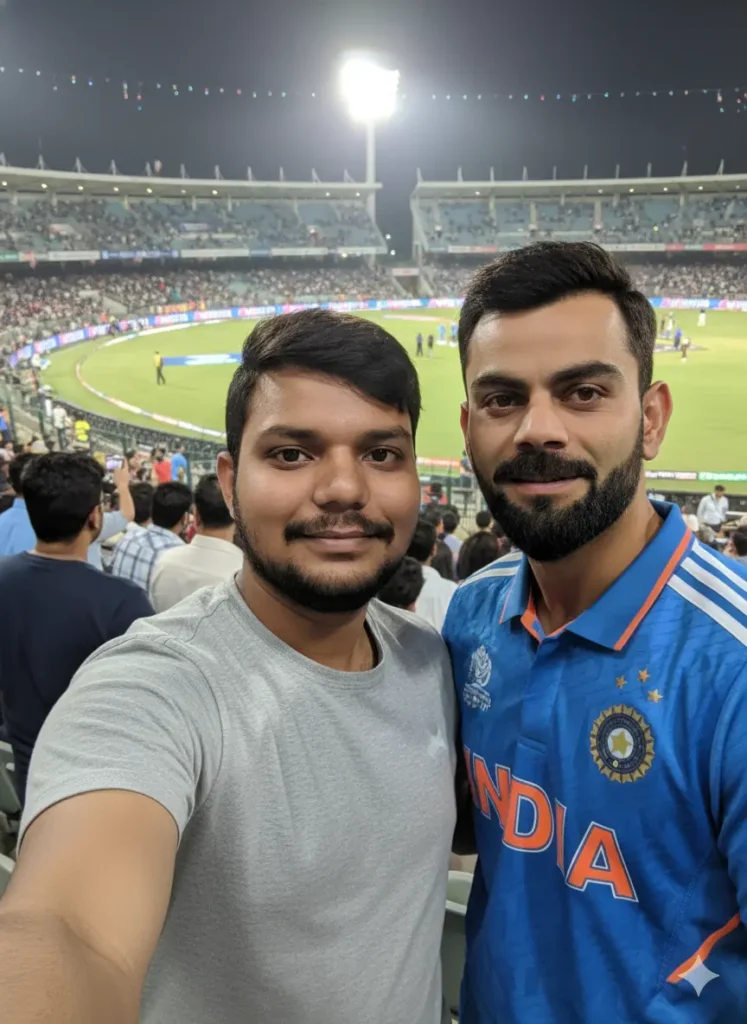
An extremely mediocre iphone [selfie] photo, with no clear subject and framing just a casual snapshot. Photos are slightly motion blurry, slightly overexposed due to uneven night lights. Both are in cricket stadium, blurry people and stadium light in the background. The angles are awkward, the composition is poor and the overall effect is mediocre like accidentally taking a selfie from your phone in your pocket. In the photo, it is [stylish smiling uploaded men and virat kohli ], naturally taken in [portrait] with an aspect ratio of 9:16
How to Use Selfie With Virat Kohli Prompt in Gemini App
Here’s how you can create your own realistic selfie with Virat Kohli in Gemini:
- Download and open the Gemini AI app (available on Android, iOS, or via web). Log in or create an account.
- In the chat box, select the image creation feature.
- Click Upload Image and add your selfie or portrait photo.
- Now, paste one of the following Selfie with Virat Kohli Prompts into the Gemini input box. These are tested to produce realistic and high-quality images.
- Click Generate. Gemini will process your photo and generate the image based on your uploaded selfie and text prompt. Wait a few seconds and you’ll see your final AI photo.
- If you like the result, save or download it. You can adjust lighting, background, or pose by tweaking the wording of the prompt.
Tips for Best Results
- Use high-quality selfies with neutral expressions.
- Be specific in your prompts describe lighting, setting, and pose.
- Keep faces unchanged by mentioning “keep face the same” or “don’t alter face.”
- Avoid cluttered backgrounds in your uploaded image.
- Try different moods Polaroid, candid, cinematic, or romantic.
FAQs
Can I use my own photo for the selfie with Virat Kohli prompt?
Yes, upload your own selfie and mention “keep face same” in the prompt. Gemini will keep your face unchanged.
How do I make it look realistic?
Use natural lighting and poses in your original photo, and specify lighting (like flash, night, or Polaroid) in your prompt.
Is it allowed to create celebrity selfies?
Yes, as long as it’s for personal, non-commercial use and clearly marked as AI-generated.
Can I use these prompts with other celebrities?
Absolutely. Just replace Virat Kohli’s name with any celebrity you want.
Does Gemini change my facial features?
Not if you clearly write “keep face same” or “do not change face” in your prompt.
Final Thoughts
Creating a selfie with Virat Kohli using Gemini AI is simple, creative, and fun. With the right selfie with celebrity ai prompt and your photo, you can generate a realistic picture that feels like a genuine memory. Whether it’s a Polaroid-style candid, a romantic portrait, or a stadium shot your imagination sets the scene.
Start experimenting today, and bring your dream selfie with your favorite star to life.
Leave a Comment