Flint AI
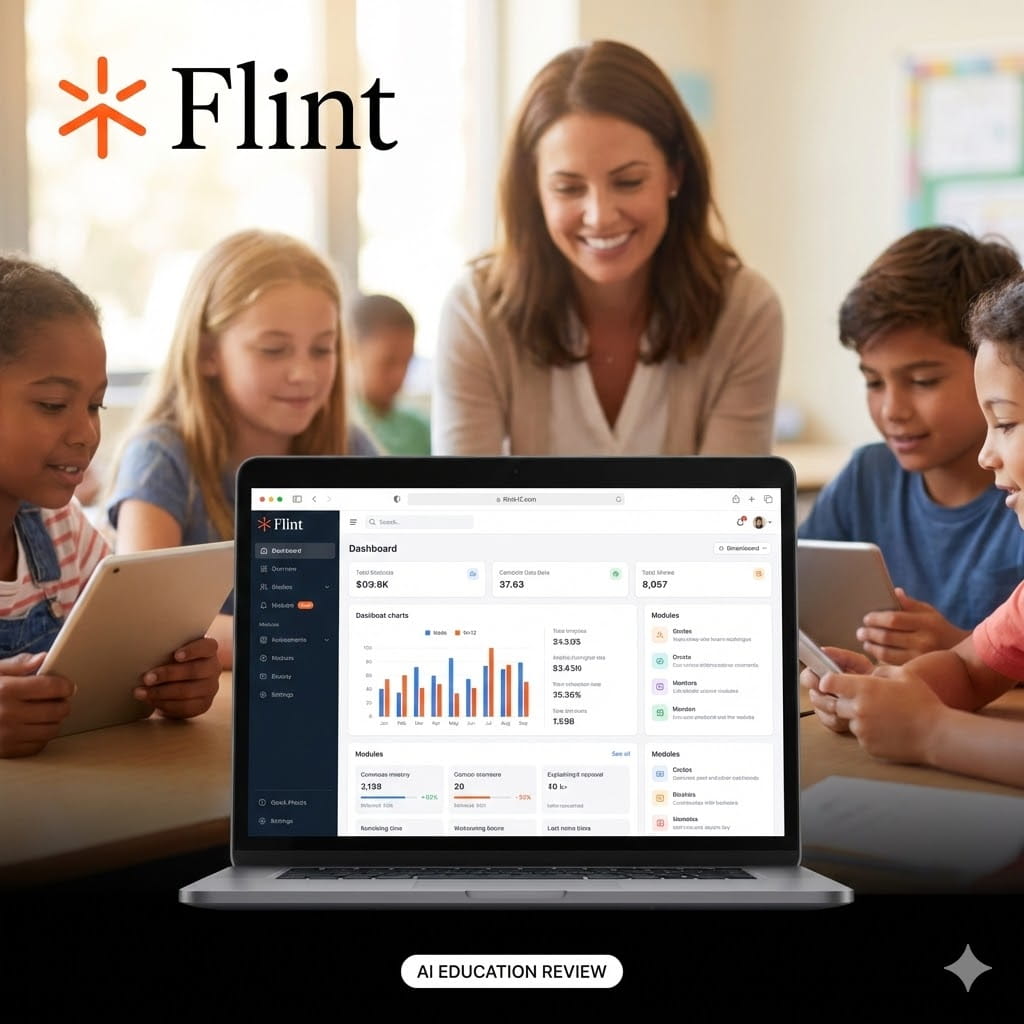
Flint AI is an AI-powered learning platform built specifically for K–12 education. Unlike general-purpose AI tools, Flint AI is designed with classrooms, teachers, and students in mind. It focuses on safe, curriculum-aligned learning, not open-ended AI chatting.
At its core, Flint AI acts as a smart tutor and worksheet generator that helps teachers save time and helps students understand concepts better. Schools use it to create assignments, explain topics at different grade levels, and support personalized learning without risking unsafe or off-topic content.
If you are searching for flint ai reviews: use cases, pricing & alternatives, this guide breaks everything down in simple terms so you can decide if it fits your school, classroom, or EdTech directory.
Flint AI Key Features
1. Flint AI Tutor (Student-Focused)
Flint AI works like a private tutor for students.
-
Explains topics in simple language
-
Adjusts answers based on grade level
-
Encourages thinking instead of giving direct answers
This is especially helpful for:
-
Homework help
-
Concept revision
-
Exam preparation
2. Flint AI Worksheet Generator
The flint ai worksheet generator is one of its most popular features among teachers.
Teachers can:
-
Create worksheets in seconds
-
Adjust difficulty level
-
Generate multiple versions for differentiation
Example:
A Grade 5 math teacher can instantly generate fraction worksheets at beginner, intermediate, and advanced levels.
3. Curriculum-Aligned AI
Flint AI is trained to follow:
-
K–12 learning standards
-
Subject-specific guidelines
-
Grade-appropriate explanations
This makes it reliable for classroom use, not just experimentation.
4. Safe & Controlled AI Environment
Safety is where Flint AI stands out.
-
No open internet browsing
-
No unsafe or irrelevant answers
-
Teacher visibility and control
For schools worried about AI misuse, this is a big win.
5. Flint AI Platform for Teachers
Teachers use Flint AI to:
-
Plan lessons faster
-
Generate examples and explanations
-
Support students with different learning speeds
The flint ai platform feels more like a teaching assistant than a chatbot.
How to Use Flint AI (Step-by-Step)
Step 1: Flint AI Login
-
Visit the official website: https://flintk12.com/
-
Sign up as a teacher, school, or student
-
Access the dashboard after flint ai login
Step 2: Choose Your Role
Flint AI adapts based on who is using it:
-
Teacher view
-
Student view
-
School or admin view
Step 3: Generate Content
Teachers can:
-
Create worksheets
-
Ask for lesson explanations
-
Design quizzes or practice questions
Students can:
-
Ask questions
-
Request explanations
-
Practice step-by-step problem solving
Step 4: Review and Adjust
Teachers stay in control.
-
Edit AI-generated content
-
Adjust difficulty
-
Ensure accuracy before sharing
Best Use Cases for Flint AI
Flint AI works best in structured learning environments.
1. Schools and Classrooms
Ideal for:
-
Daily teaching support
-
Homework creation
-
Differentiated instruction
2. Teachers
Perfect for teachers who:
-
Want to reduce lesson prep time
-
Need quick worksheet creation
-
Teach mixed-ability classrooms
3. Students (With Supervision)
Students benefit from:
-
Clear explanations
-
Guided problem-solving
-
Confidence-building learning
4. EdTech & AI Tool Directories
If you run a Free AI Tools Directory, Flint AI fits well under:
-
AI for Education
-
AI Tutor Tools
-
AI Worksheet Generators
Flint AI Pricing
Flint AI pricing is not fully public and usually depends on:
-
Number of users
-
School or district size
-
Feature access level
Most schools need to contact the Flint AI team for a custom quote.
For teachers and institutions, pricing typically reflects:
-
Classroom-scale usage
-
Ongoing support
-
Education-grade safety standards
If you are comparing flint ai reviews: use cases, pricing & alternatives, keep in mind that Flint AI is priced more like an education solution, not a casual AI app.
Pros and Cons of Flint AI
Pros
-
Built specifically for K–12 education
-
Safe and controlled AI responses
-
Excellent worksheet generation
-
Saves teachers significant time
-
Supports personalized learning
Cons
-
Not designed for college-level content
-
Limited creativity compared to open AI chatbots
-
Pricing may be high for small schools without budgets
Flint AI vs Other AI Tools (Quick Comparison)
| Feature | Flint AI | ChatGPT | MagicSchool AI | Khanmigo |
|---|---|---|---|---|
| K–12 Focus | Yes | No | Yes | Yes |
| Worksheet Generator | Yes | Limited | Yes | No |
| Safety Controls | High | Medium | High | High |
| Teacher Control | Strong | Weak | Strong | Strong |
| Classroom Ready | Yes | No | Yes | Yes |
Flint AI stands out for worksheet creation and controlled tutoring.
Best Flint AI Alternatives
If Flint AI does not fit your needs, here are solid alternatives.
1. MagicSchool AI
-
Strong teacher tools
-
Lesson planning focus
-
Less student tutoring depth
2. Khanmigo
-
Built by Khan Academy
-
Excellent conceptual explanations
-
Limited worksheet generation
3. ChatGPT (With Caution)
-
Very flexible
-
Not designed for kids
-
Requires strict supervision
4. Curipod
-
Good for interactive lessons
-
Less AI tutoring focus
FAQs About Flint AI
Is Flint AI safe for students?
Yes. Flint AI is built specifically for K–12 students with controlled, age-appropriate responses.
Can Flint AI replace teachers?
No. Flint AI supports teachers but does not replace human instruction or judgment.
Does Flint AI work for all subjects?
It works best for core subjects like math, science, and language arts.
Is Flint AI free?
Flint AI does not offer a fully free plan. Most access is through paid school or teacher plans.
Can students use Flint AI at home?
Yes, but ideally with teacher or parent guidance.
If you are a teacher or school administrator, explore Flint AI on its official website and see how it fits your classroom workflow. If you run an AI tools directory, Flint AI is a high-trust, education-first tool your users will appreciate.
- Pricing: Freemium


Leave a Comment