Fireflies AI
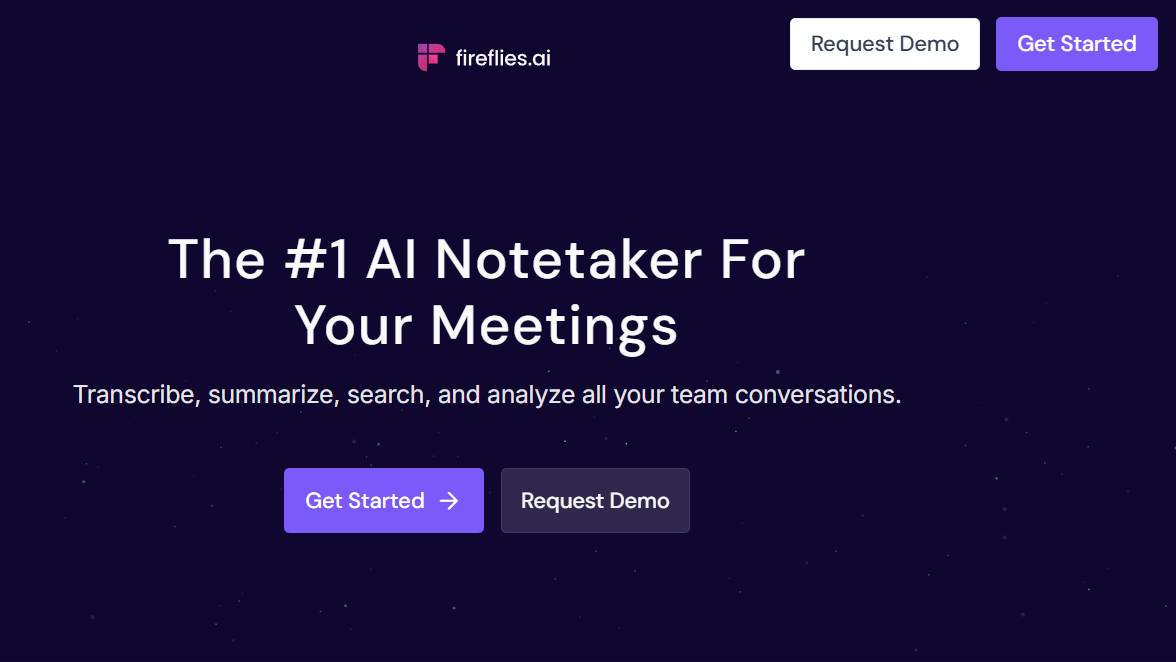
Fireflies.ai is a smart AI meeting assistant that records, transcribes, summarizes, and organizes conversations from your meetings automatically. Think of it as a reliable note-taker that never misses a detail, even when discussions move fast.
Instead of scrambling to write notes during Zoom, Google Meet, or Microsoft Teams calls, Fireflies AI quietly joins the meeting, captures the conversation, and turns it into clean, searchable notes. After the meeting ends, you get transcripts, key points, action items, and insights you can share with your team.
In simple words, this ai tool app helps you focus on the conversation while it handles the notes.
Fireflies AI Key Features
1. Automatic Meeting Recording
Fireflies AI can automatically join scheduled meetings on Zoom, Google Meet, and Teams. No manual setup every time.
You can also upload audio files if you want transcripts from offline conversations or interviews.
2. Accurate AI Transcription
Fireflies AI converts speech into text in real time with strong accuracy, even with different accents.
Key highlights:
Speaker identification
Timestamped transcripts
Support for multiple languages
Searchable meeting history
This makes it a solid AI transcripts solution for professionals.
3. Smart Meeting Summaries
Long meetings are painful to revisit. Fireflies AI solves this by generating:
Short summaries
Key discussion points
Decisions made
Action items
You can skim the summary in two minutes instead of replaying a one-hour call.
4. AI-Powered Search
You can search across all your meetings using keywords like names, topics, or decisions.
Example:
Type “pricing discussion” and Fireflies will instantly show every meeting where pricing was mentioned.
This feature alone makes Fireflies AI a powerful AI meeting assistant for growing teams.
5. Team Collaboration & Sharing
You can:
Share meeting notes with teammates
Add comments to transcripts
Highlight important sections
Create soundbites for key moments
It works well for cross-functional teams who need transparency.
6. Integrations with Popular Tools
Fireflies AI integrates with tools teams already use:
Slack
Notion
Google Docs
CRM tools
Project management apps
Meeting notes can flow directly into your existing workflow.
7. Conversation Intelligence
Fireflies AI does more than transcription. It analyzes conversations to detect:
Talk time by speaker
Questions asked
Repeated topics
Sales and customer success teams find this especially useful.
How to Use Fireflies AI (Step-by-Step)
Getting started is straightforward, even for beginners.
- Visit the official website: https://fireflies.ai and Sign up using Google or email.
- Connect your Google or Outlook calendar so Fireflies can automatically join meetings.
- Fireflies will join meetings as a participant and start recording and transcribing.
- You can also invite it manually by adding its email to a meeting.
Once the meeting ends:
View full transcript
Read AI summary
Copy action items
Share notes with your team
That’s it. No complex setup.
Pros of Fireflies AI
Saves time on manual note-taking
Clean and searchable transcripts
Works across major meeting platforms
Strong free plan for individuals
Helpful summaries and insights
Great for remote and hybrid teams
From personal experience, it reduces post-meeting confusion and follow-up emails significantly.
Cons of Fireflies AI
Accuracy depends on audio quality
Free plan has usage limits
Advanced analytics are locked behind paid plans
Needs permission in some company meetings
These are common trade-offs with most AI meeting tools, not deal breakers.
Best Use Cases for Fireflies AI
1. Remote Teams
Perfect for distributed teams that rely heavily on video calls.
2. Sales & Customer Success
Track objections, questions, and customer feedback without manual notes.
3. Recruiters & HR
Record interviews and revisit candidate responses anytime.
4. Founders & Managers
Stay aligned on decisions and action items from leadership meetings.
5. Students & Researchers
Use it for lectures, group discussions, and research interviews.
Fireflies AI Pricing (Updated 2026)
Fireflies AI offers flexible plans for different needs.
Free Plan
Limited transcription minutes
Basic summaries
Good for testing and personal use
Pro Plan
More transcription hours
Advanced summaries
Integrations
Business Plan
Team collaboration
Conversation intelligence
Admin controls
Enterprise Plan
Custom limits
Advanced security
Dedicated support
Fireflies AI price is reasonable compared to the time it saves, especially for teams.
Fireflies AI vs Other Meeting Tools
| Feature | Fireflies AI | Otter AI | Fathom |
|---|---|---|---|
| Automatic Recording | Yes | Yes | Yes |
| AI Summaries | Strong | Medium | Strong |
| Search Across Meetings | Excellent | Good | Limited |
| Team Collaboration | Yes | Yes | Limited |
| Free Plan | Yes | Yes | Yes |
Fireflies AI stands out for deep search, integrations, and team workflows.
Fireflies AI Alternatives
If Fireflies AI does not fit your needs, here are some alternatives:
Otter AI – Good for simple transcription
Fathom – Great for Zoom-focused teams
Avoma – Strong sales intelligence
Grain – Useful for sharing video clips
Each tool has strengths, but Fireflies AI offers the most balanced feature set overall.
FAQs About Fireflies AI
Is Fireflies AI free to use?
Yes, Fireflies AI has a free plan with limited features. Paid plans unlock more transcription hours and advanced tools.
Is Fireflies AI safe and secure?
Fireflies AI follows standard security practices and offers enterprise-grade options for larger teams.
Does Fireflies AI work with Zoom and Google Meet?
Yes, it supports Zoom, Google Meet, and Microsoft Teams.
Can I edit Fireflies AI transcripts?
Yes, transcripts are editable, and you can add comments or highlights.
Who should use Fireflies AI?
Anyone who attends meetings regularly and wants better notes, clarity, and follow-ups.
Fireflies AI is not just another transcription tool. It is a complete AI meeting assistant designed to reduce busywork and improve clarity after meetings.
If you attend multiple meetings every week, this tool can easily pay for itself by saving time, reducing misunderstandings, and keeping everyone aligned.
My recommendation:
Start with the free plan. Use it for a few real meetings. If it fits your workflow, upgrading makes sense.
👉 Visit the official website to try it: https://fireflies.ai
- Pricing: Freemium


Leave a Comment